
ZeeMaps now allows you to add a Google city public transit network overlay to your maps. This means you can view public transportation information—such as bus, train, subway, bike, and even ferry routes—directly in your ZeeMaps map.
Whether you’re planning a commute, organizing a field trip, or coordinating team travel, you can now see the latest transit options without switching between apps.
How to Activate a Transit Overlay
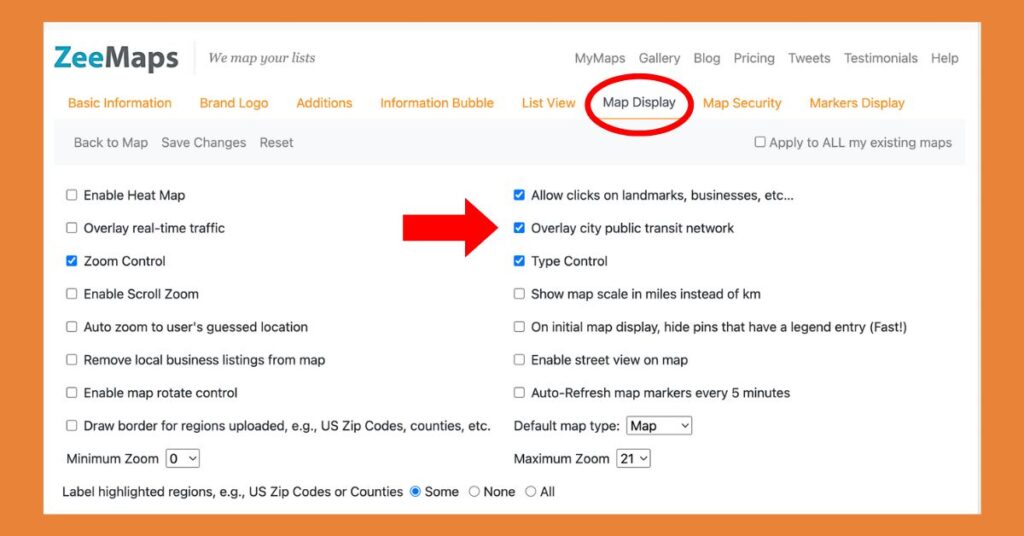
To turn on this feature, open your map and go to ‘Map’ in the top menu, then select ‘Settings’. From the tabs on the left-hand side, choose ‘Map Display’.
Check the box that says ‘Overlay city public transit network’ and click Save Changes.
Real-time Transit Information
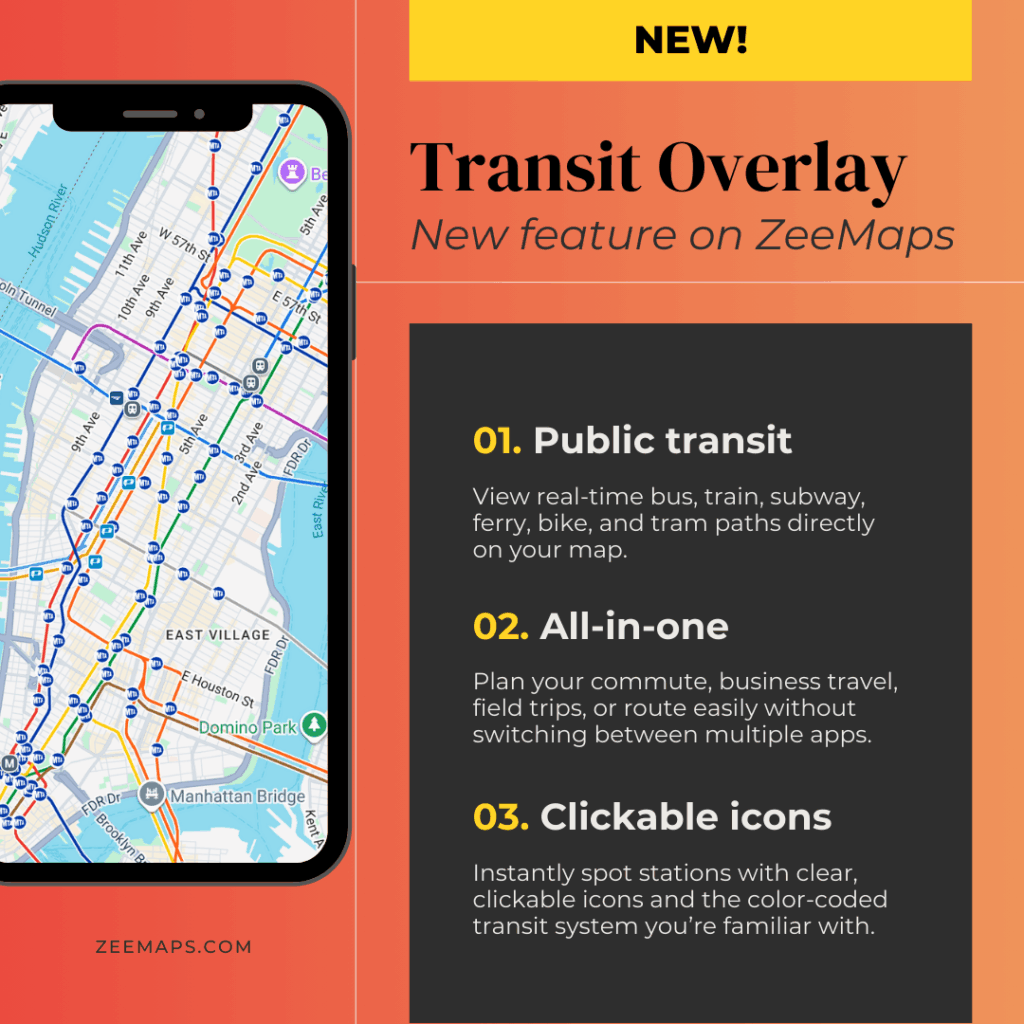
Your map will now display public transit lines and stations as a colored overlay. You’ll see icons for stops and stations, along with route lines that match the transit system’s colors.
In some cities, you may also view live departure times and service updates, such as delays or closures.
For example, if you’re mapping in New York City, subway lines and stations will be overlaid on your map, making it easy to plan routes around your plotted locations.
Why Transit Overlay Matters
Many ZeeMaps users plan activities or routes that depend on public transportation. Event organizers can map venue locations and instantly see nearby bus or train options for attendees. Community groups can plan walking tours that connect to transit hubs. Businesses can help customers or employees navigate city travel more easily.
We built this feature based on user feedback—because making ZeeMaps more useful and user-friendly is always our top priority.
Try the new feature yourself on ZeeMaps!
This public transit overlay feature is a game-changer! It makes custom maps more informative by showing real transit routes and stops — super helpful for planning travel and events.