
ZeeMaps allows map labeled alongside map pins. Labels show either on the pin itself, or below the pin. Pins with labels on them can display a maximum of 3 characters due to the limitations of the size of the pins. Also, pins with custom images cannot have labels on them. When we add labels below pins we have more flexibility in the size of the pins and the images for the pin themselves.
Labels show the name for the pin, or any other field of your choosing. Please see the related post on “Extended Label Pins” to show labels with map pins.
When you look up a map labeled with cities, landmarks, or data points, you expect clarity. But when a map is filled with dozens—or even hundreds—of pins, things can get messy fast. Overlapping labels quickly turn a useful map labeled with information into a cluttered tangle of text.
That’s why we’ve introduced an AI-based map label de-cluttering feature. This automatically arranges labels so your map stays clean, legible, and professional—even when it’s crowded.
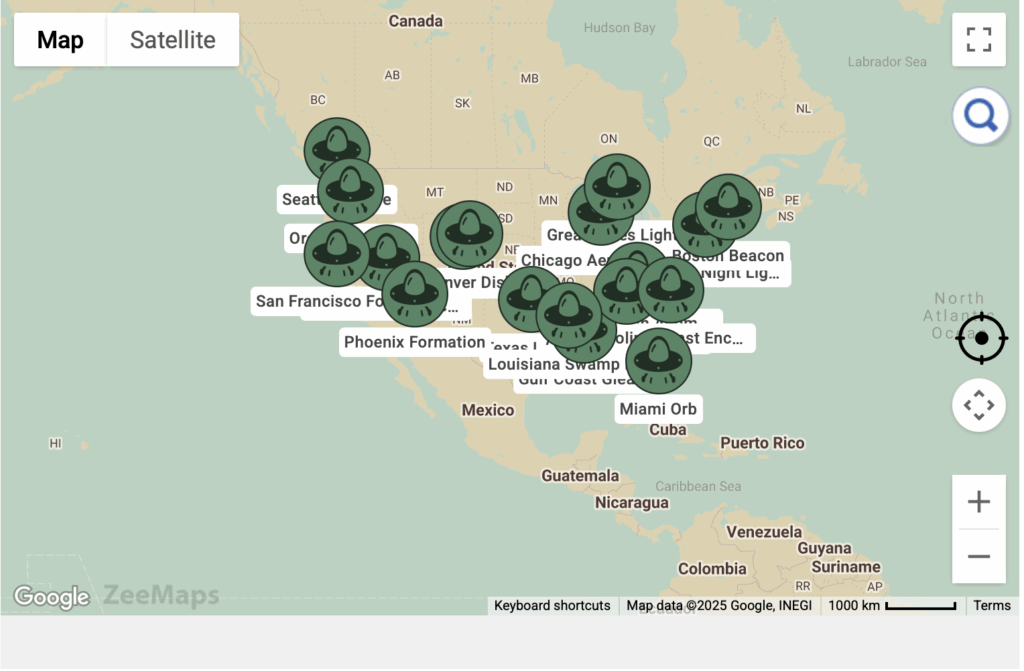
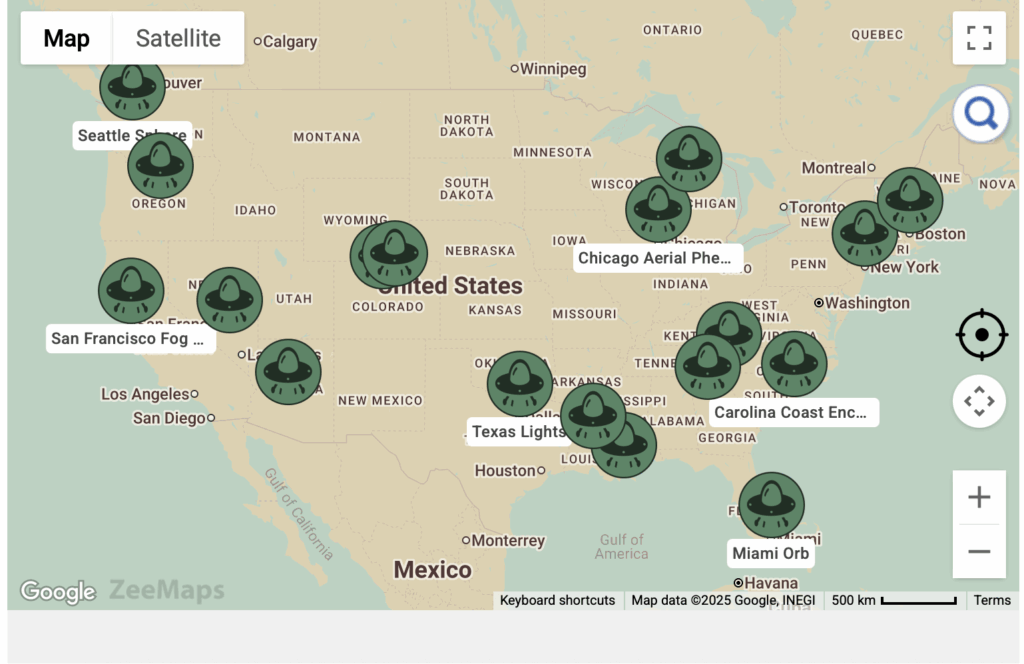
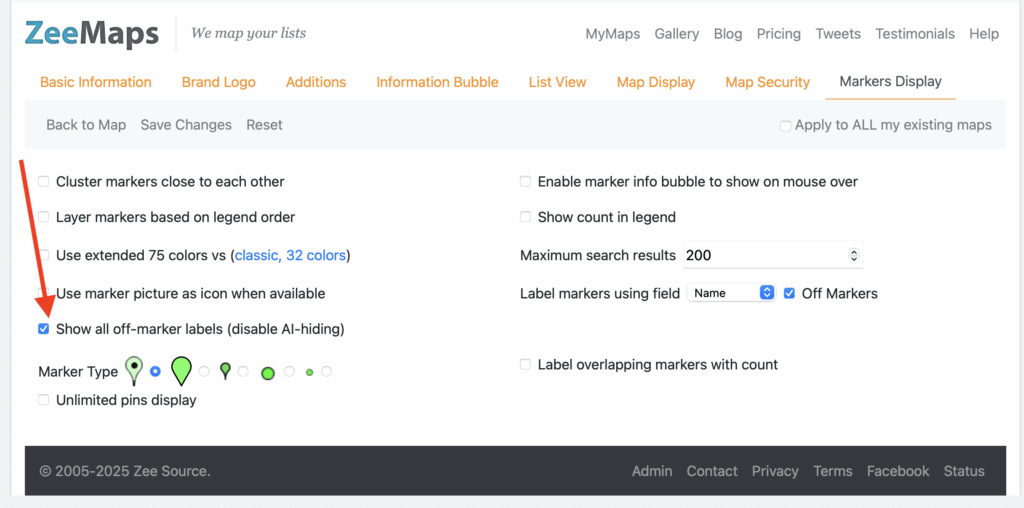
Sometimes you may want all your labels to show, even if the display is slightly cluttered. You can use the Map -> Settings menu, and then the Markers Display tab to change the setting for “Show all off-marker labels (disable AI-hiding)”:
Overlapping Map Labels
Traditionally, each pin label sits directly on its pin’s location. That works fine until you’re looking at a busy area:
- Labels overlap and block one another.
- Important information gets lost.
- The map becomes messy and hard to navigate.
Users often had to manually zoom in and out to make sense of the data.
AI-Based Map Label De-Cluttering
Our new AI-powered labeling system dynamically repositions labels to reduce overlap and maximize clarity. Here’s how it works at a high level:
- Detects Collisions – The AI recognizes when two or more labels would overlap.
- Repositions Smartly – Labels are nudged outward while staying connected to their pin.
- Sets Priorities – If space is limited, the most relevant labels remain visible.
- Adapts in Real Time – As you zoom in or out, the algorithm adjusts for clarity at every scale.
The result is a map that remains readable and user-friendly, no matter how dense your data.
Why It Matters
- Clarity: Your audience sees what matters without distraction.
- Professional Look: Clean labeling elevates the quality of your maps.
- Better Insights: With less clutter, patterns and trends emerge more easily.
Try It Out
The new AI-based map label de-cluttering is live now. Open one of your maps with many pins and watch how the labels intelligently adjust themselves.
Your maps just got smarter—with the help of AI.